Gyazo, the popular image-sharing service run by Helpfeel, has confirmed a major security breach. About 23.62 million user records and roughly 490 million image metadata records were exposed. The incident has renewed concerns about how safely online platforms handle our data.
If you have ever used Gyazo to share a screenshot, this story may affect you. Here is what happened, what was exposed, and the steps you can take now. For more security news, explore our Cybersecurity section at Jantarax Tech.
What Happened in the Gyazo Breach?
According to a notice published by Helpfeel, attackers gained access to sensitive information stored by Gyazo. The company has confirmed the incident and is investigating how it happened. It is also taking steps to improve its security protocols.
The notice does not, in the source material, explain how the attackers got in or when the breach began. More details may appear as the investigation continues, so check Helpfeel’s official notice for updates.
What Data Was Exposed?
The breach involved two main types of data.
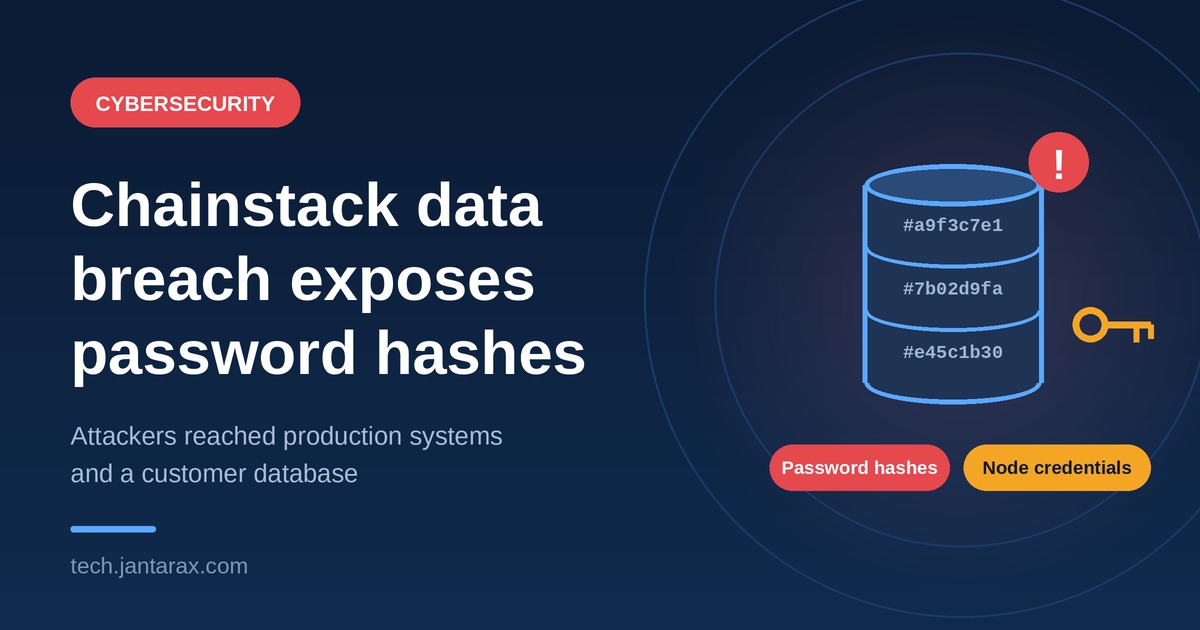
User records (about 23.62 million). These include email addresses and password hashes.
Image metadata (about 490 million records). This mostly relates to images uploaded before January 2019. It includes identifiers that form the links to Gyazo images.
The notice, as reported, does not say that the images themselves were stolen. It describes metadata and identifiers. Still, it is wise to treat any image you shared before 2019 with some caution, especially if it contained private information.
What Is a Password Hash?
A password hash is a scrambled version of your password. Websites store hashes instead of the plain password, so a leak does not immediately reveal what you typed.
That helps, but it does not make the data safe. Attackers can try to crack hashes by guessing passwords at high speed. Weak or common passwords are the easiest to crack. Strong, long, unique passwords are much harder.
Why Does Image Metadata Matter?
Metadata is information about a file, not the file itself. In this case, the exposed identifiers form the links to Gyazo images. Anyone who holds such identifiers could potentially try to reach the matching images, depending on how those links work and what protections apply.
This is a general explanation, and the notice does not confirm any such misuse. But it is a good reminder that a shared link can be risky if it points to something private.
Who Is Affected?
Gyazo is widely used to share images and screenshots, especially by gamers, developers, and content creators. Many people use it for quick, casual sharing, and some may have posted work or personal content without thinking about long-term privacy.
With millions of records involved, the scale of the breach raises serious questions about the protections in place. It also shows how any platform, even a simple one, can become a target when it holds data about many users.
What Are the Risks?
Helpfeel and security experts warn that exposed data can be abused. The main risks are:
- Phishing attacks. Criminals can send convincing emails to leaked addresses, pretending to be Gyazo or another trusted service.
- Identity theft. Leaked details can be combined with other stolen data to impersonate someone.
- Account takeover. If you reused your Gyazo password elsewhere, attackers may try it on other accounts. This is known as credential stuffing.
These are the kinds of harm that make quick action important.
What Should Gyazo Users Do Now?
Helpfeel advises users to change their passwords and watch their accounts for suspicious activity. Here is a practical checklist:
- Change your Gyazo password right away, using a long and unique one.
- Change it anywhere else you reused it. Start with email, banking, and social media.
- Use a password manager to create and store strong passwords.
- Turn on two-step verification wherever it is available.
- Be careful with emails. Do not click links or open attachments in unexpected messages, even if they mention Gyazo.
- Review your old uploads. Delete any screenshots or images that show private information.
- Monitor your accounts. Look for unfamiliar logins, password reset emails, or unusual activity.
Steps 2 to 7 are general good security practice rather than instructions from the notice.
A Growing Pattern of Data Breaches
The Gyazo incident is not an isolated case. Similar events keep making headlines, such as the Revolut data breach caused by fake government requests. Security risks also reach everyday devices, as in the TP-Link router ban and state lawsuits in the US.
Together, these stories show why both companies and users need to take data protection seriously.
What Happens Next?
Gyazo is expected to put stronger security measures in place to prevent future incidents. Users should follow updates from the company about the breach and any steps it recommends.
The incident may also add to the wider discussion about data protection rules and the responsibility of tech companies to safeguard user information. Things to watch include:
- Further details from Helpfeel on the cause and timeline.
- Any additional steps the company asks users to take.
- Regulatory attention, depending on where affected users live.
- Security upgrades announced for Gyazo accounts.
Frequently Asked Questions
How many Gyazo users were affected?
About 23.62 million user records were exposed, along with around 490 million image metadata records.
What information was leaked?
Email addresses and password hashes, plus metadata and identifiers for images uploaded before January 2019.
Were my passwords exposed in plain text?
The notice mentions password hashes, which are scrambled versions of passwords. Hashes can still be cracked, so changing your password is wise.
Should I delete my Gyazo account?
That is your choice. At a minimum, change your password and remove any private images you no longer want online.
Who confirmed the breach?
Helpfeel, the company that operates Gyazo, confirmed it in a published notice.
Conclusion
The Gyazo breach is a clear reminder of the ongoing challenges in data security. As digital platforms grow, both companies and users must make data protection a priority. Changing your password, using two-step verification, and staying alert to phishing are simple steps that cut your risk. The full impact of this incident is still unfolding, so keep an eye on official updates.
For more updates, learn about Jantarax Tech or contact our team with tips and feedback.
- cybersecurity
- tech news
- data breach
- Gyazo data breach
- Gyazo
- Helpfeel
- password hashes
- phishing
- identity theft
- data privacy
- account security