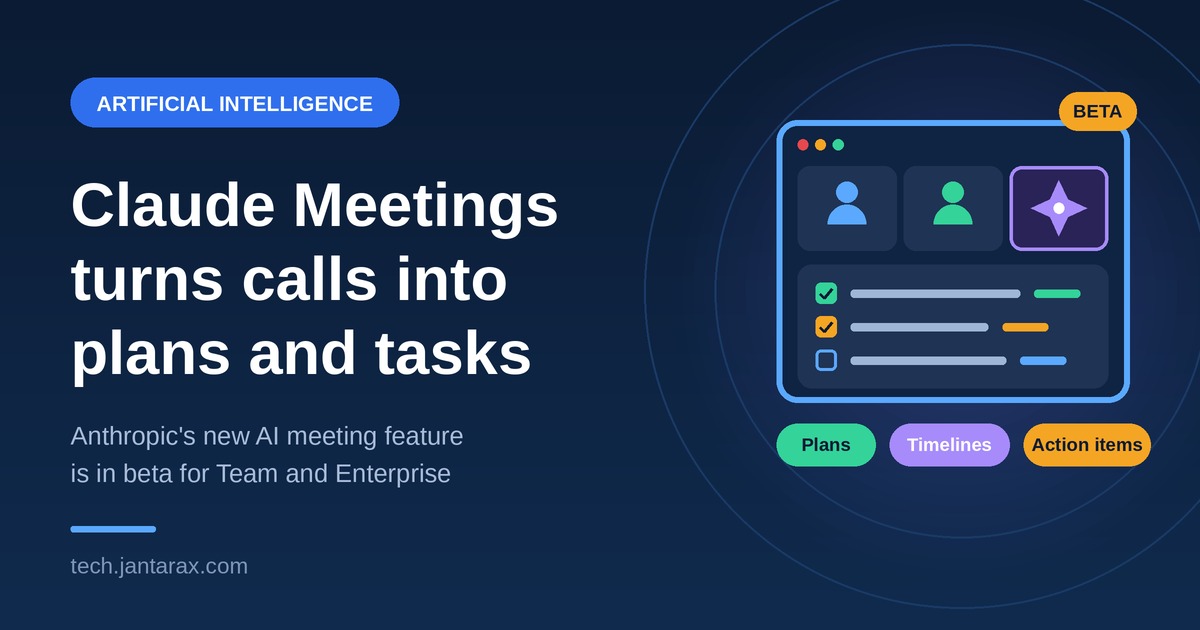
Meetings are supposed to end with decisions. Too often they end with a vague memory of what was said and a list of tasks nobody wrote down. Anthropic wants to change that. On Tuesday, November 10, 2026, the company introduced Claude Meetings, a feature that adds its Claude AI assistant to video calls and starts working on tasks while participants are still talking.
This guide explains what the tool does, how it works, who can use it today, and what to think about before adding an AI to your team’s calls. For more AI coverage, explore our Artificial Intelligence and Technology sections at Jantarax Tech.
What Is Claude Meetings and Why Does It Matter?
Claude Meetings is a new Anthropic feature that brings Claude into live video calls. Instead of waiting until the call ends to summarize it, Claude follows the conversation in real time and starts producing useful work: a plan, a schedule, an answer to a question, or a list of action items.
It matters because meeting follow-up is a real cost. Someone has to take notes, write the summary, create the tasks, and chase the owners. That work is rarely exciting, and it often gets delayed or forgotten. A tool that does the first draft during the call could save time for entire teams. Think of it as a teammate whose only job is to take notes, build the plan, and look up the numbers while everyone else focuses on the conversation.
The launch also fits a bigger shift. Hybrid and remote work have made video calls a central part of the workday, and companies are looking for tools that make those calls more productive. Anthropic is positioning Claude as a coworker for office tasks, not only for coding and chat.
How Claude Meetings Works
Here is the basic flow, based on Anthropic’s announcement and news coverage:
- Add Claude to the call. Teams invite Claude as a visible participant, so everyone can see it is there.
- Claude announces itself. It posts a notice in the meeting chat so participants know an AI is present.
- It listens and follows the discussion. As people talk, Claude keeps track of what is being decided.
- It starts working. Claude can draft the plan being discussed, map out a timeline on a whiteboard, and answer questions in the meeting chat.
- It pulls in your data. Through connected work apps, Claude can retrieve information such as last year’s figures, so the team does not have to stop and look them up.
- You get results afterward. Notes, action items, and other work products are available afterward in Claude.
The key idea behind Claude Meetings is that Claude does not just record. It acts during the meeting, so by the time the call ends, a first draft of the work already exists.
Key Features at a Glance
The tool brings together several abilities that teams usually handle by hand:
Live plan drafting. As the team talks through a project, Claude writes the plan that is emerging.
Timelines on a whiteboard. Claude can map a plan onto a shared whiteboard with steps, owners, and dates.
In-meeting answers. Anyone can ask Claude a question in the meeting chat and get a response without leaving the call.
Connected apps. Claude can look up data from the work tools your company has linked, which helps in discussions that depend on past numbers.
After-call materials. Notes and action items are saved so people can review and share them.
For now, Claude largely waits to be told what to do, and Anthropic expects to make it more proactive over time.
How the Whiteboard Fits In
Anthropic also launched Claude Whiteboards, a collaborative board where teams talk through a plan and Claude turns it into an organized visual workspace with timelines and deadlines. The whiteboard also works inside Claude Meetings, so the board builds while people talk.
According to the Help Center documentation as described by Unite.AI, whiteboards accept spoken, typed, and sketched input, and Claude organizes material with shapes, arrows, and sections while everyone on the board can rearrange items live. The board stays editable instead of being a fixed summary. When the brainstorm ends, Claude can convert the board into a document or slides.
Practical Examples
These are examples of how teams might use the feature, not confirmed use cases from Anthropic:
- Project kickoff. The team describes goals and deadlines, and Claude drafts a project plan and timeline before the call ends.
- Budget review. Someone asks Claude for last year’s figures, and Claude pulls them from a connected app so the discussion keeps moving.
- Marketing planning. The team brainstorms a campaign, and Claude groups ideas by theme and assigns draft tasks.
- Customer review. Claude captures feedback themes and drafts follow-up tasks for each owner.
- Weekly check-in. Claude captures action items and owners, so nobody has to write them down afterward.
- Hiring or planning sessions. Claude keeps a running list of decisions and open questions.
Small teams can benefit from Claude Meetings too. Our guide on how small businesses are saving time with AI shows how simple AI tools can free up hours each week.
Who Can Use Claude Meetings Right Now?
Availability is limited, so check these details before you plan around it:
- Plans. It launches in beta on Team and Enterprise plans.
- Platform. At launch it works with Google Meet, and Microsoft Teams and Zoom are not supported at launch. Support for other platforms is expected later.
- External guests. Unless an administrator approves, Claude does not enter meetings with external participants, and it exits on its own if an outsider joins during a meeting.
- Usage limits. Whiteboards count toward plan usage limits, and boards created during a Meetings call follow Meetings pricing.
- Labels may vary. Anthropic’s own materials use “coming soon” for the feature as a whole and “beta” for live whiteboards, so confirm current availability in the Help Center.
If you are on a free or individual plan, you may need to wait.
Is It Safe for Your Team?
Before you turn on Claude Meetings, remember that adding an AI to a meeting raises fair questions. Here is what to think about:
Consent and notice. Claude identifies itself in the chat, which helps. But recording and transcription rules vary by country and state, and some require everyone’s consent. Tell participants before the call.
Sensitive topics. Some meetings cover legal issues, personnel matters, or confidential strategy. Decide in advance which meetings should not include an AI.
Connected apps. If Claude can reach your work tools, it can see what those connections allow. Review what you connect and limit permissions to what is needed.
External participants. The default of blocking outside guests unless an admin approves is a sensible safeguard. Keep it on unless you have a reason to change it.
Data handling. Read Anthropic’s documentation on how meeting content is stored and used, and involve your IT or security team. Our Cybersecurity section covers how data leaks and account breaches happen and how to reduce the risk.
Accuracy. AI can mishear, miss context, or draft a plan that does not match what people meant. Treat its output as a first draft.
How It Compares With Other Tools
AI note-takers and meeting assistants are already common, and Microsoft and Google are building their own AI features into office suites. Anthropic’s launch puts it in direct competition with Microsoft 365 and Google Workspace, alongside Claude Sheets and Claude Whiteboards. Anthropic also made Claude Data, which connects to data warehouses and CRM systems, generally available.
What stands out is the focus on acting during the meeting, not only summarizing it afterward. Whether that approach is better will depend on how accurate the drafts are and how smoothly the tool fits into existing workflows. Other startups are also rethinking office software with AI, as we covered in our story on a former Meta director’s plan to take on Microsoft Office.
Tips to Get the Most Out of It
If your team gets access to the beta, a few habits will help:
- Start with low-risk meetings. Try it in routine check-ins before using it for big decisions.
- Set a clear goal. Tell Claude what you want, such as “draft a launch plan with owners and dates.”
- Assign a human owner. One person should review the output before it is shared.
- Speak clearly. Names, dates, and numbers are easier for the AI to capture when said plainly.
- Connect only what you need. Link the work apps that help most, and no more.
- Check the draft against the discussion. Fix errors quickly while memories are fresh.
- Share the results. Send notes and action items to the team so they do not sit unread.
- Gather feedback. Ask teammates what helped and what did not.
Limits to Keep in Mind
- It is in beta. Features and behavior may change.
- It waits for instructions. For now it is not a fully proactive teammate.
- Platform support is narrow. Only Google Meet works at launch.
- It cannot replace judgment. The AI can draft a plan, but people still have to decide whether it is the right one.
- It may not suit every meeting. Sensitive or highly creative conversations may need a human-only space.
What Happens Next?
As organizations begin to adopt Claude Meetings, the main question will be whether it really improves productivity and collaboration. Feedback from early users will likely shape future updates. Things to watch include:
- Support for more video platforms, such as Microsoft Teams and Zoom.
- More proactive behavior, as Anthropic has said it expects.
- Pricing and usage limits as the beta matures.
- Admin controls and privacy features for larger companies.
- Competing tools from Microsoft, Google, OpenAI, and startups.
- Independent reviews of accuracy and reliability.
Frequently Asked Questions
What is this new Anthropic feature?
It adds Claude to video calls as a visible participant so it can draft plans, build timelines, and answer questions while people talk.
When was it announced?
On Tuesday, November 10, 2026.
Which plans can use it?
It launches in beta for Team and Enterprise plans.
Which video platform does it support?
Google Meet at launch. Other platforms are expected later.
Does Claude tell people it is in the meeting?
Yes. It identifies itself and posts a notice in the meeting chat.
Can outside guests be in the meeting?
By default, Claude does not join meetings with external participants unless an administrator approves, and it leaves if an outsider joins mid-call.
Where do the notes and action items go?
They are available in Claude after the call.
Is the output always right?
No. Treat it as a draft and review it before sharing.
Conclusion
Claude Meetings is a significant step toward AI that does real work during team conversations, instead of only summarizing them afterward. By turning discussions into plans, timelines, and action items, it aims to cut the busywork that surrounds meetings. It is still a beta with limits, and teams should think carefully about privacy, consent, and accuracy. If it delivers, it could change how remote and hybrid teams get things done.
For more updates, learn about Jantarax Tech or contact our team with tips and feedback.
- tech news
- Anthropic
- productivity tools
- Claude Meetings
- Claude AI
- AI meeting assistant
- workplace AI
- Google Meet
- Claude Whiteboards
- Claude Sheets